If you have mapped your vendor to a single GL account, every line item on subsequent invoices will be automatically GL coded for you to that default GL.
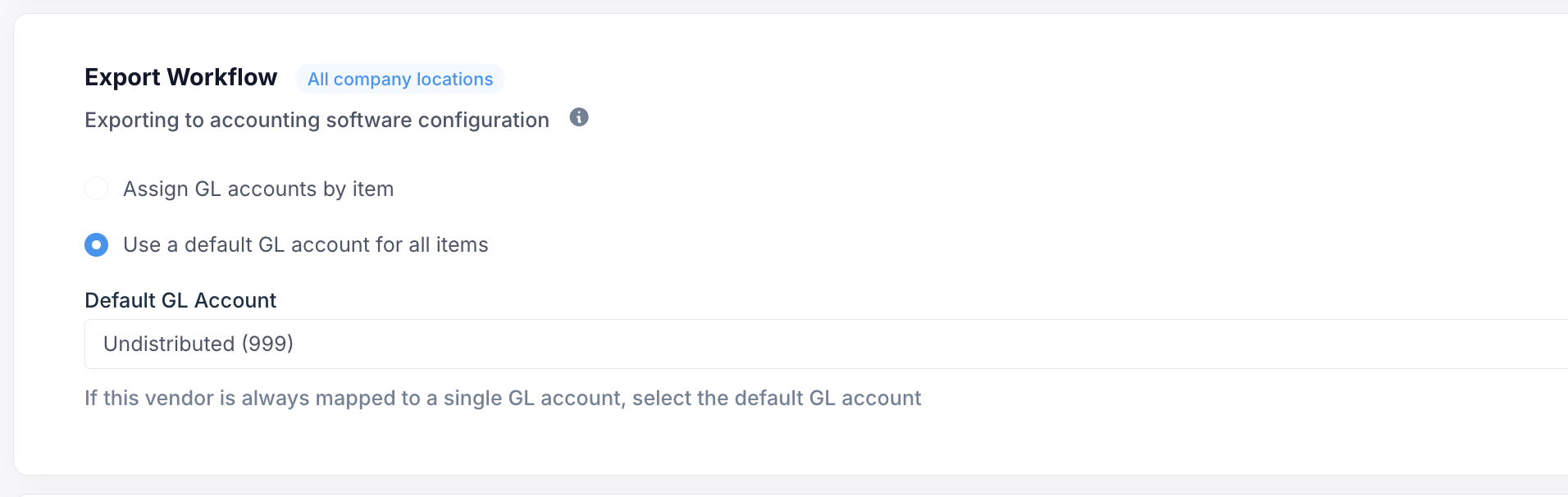
If you have mapped your vendor to multiple GL accounts, you will now be prompted to code your invoice line items.
Note: If you GL code a line item once, you will never have to GL code the item again. Ottimate
will remember your line item coding rules and automate this moving forward.
How to GL Code your Line Items
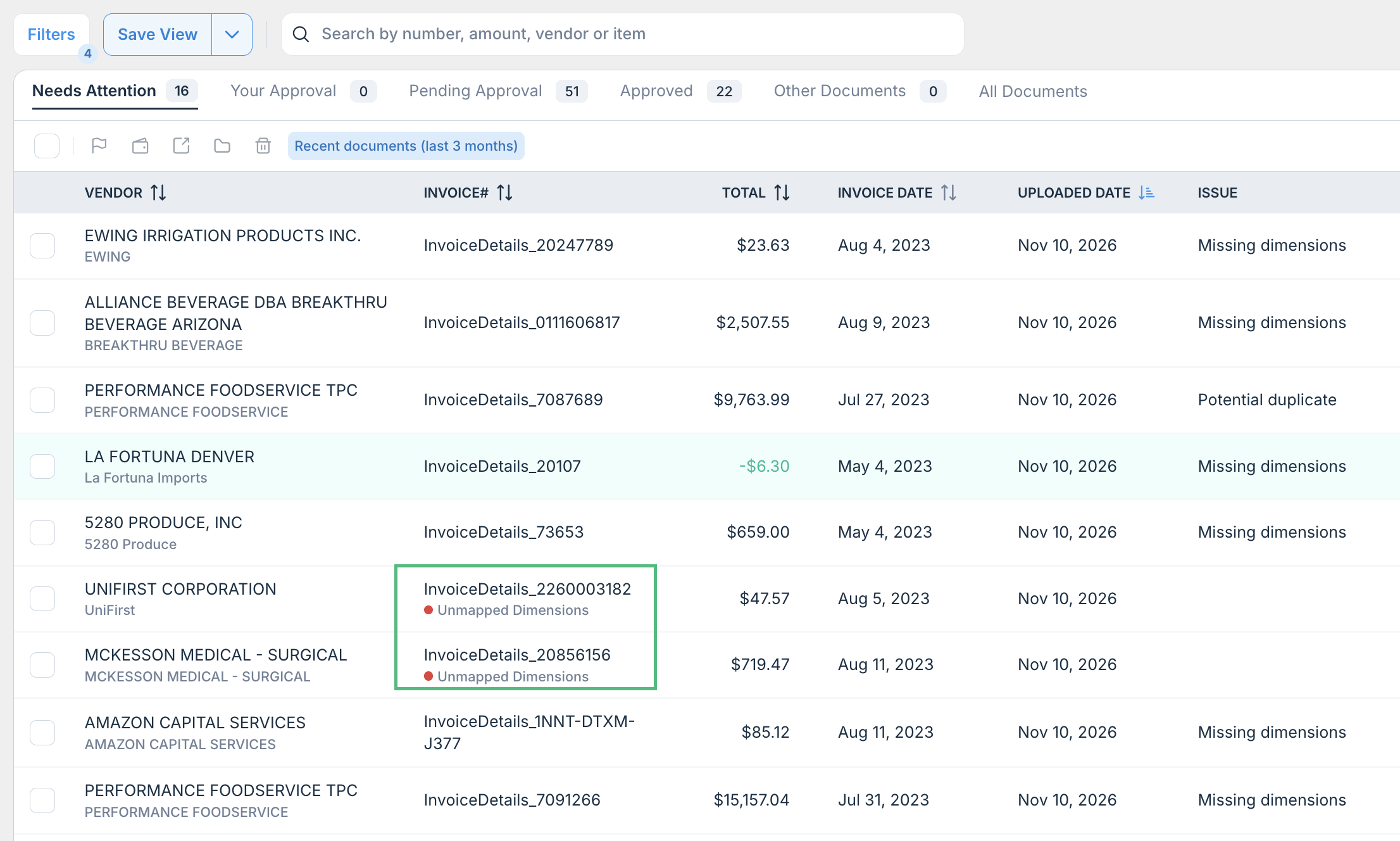
On the invoice page, mapped vendors that require line item coding will have the message "Unmapped Dimensions"
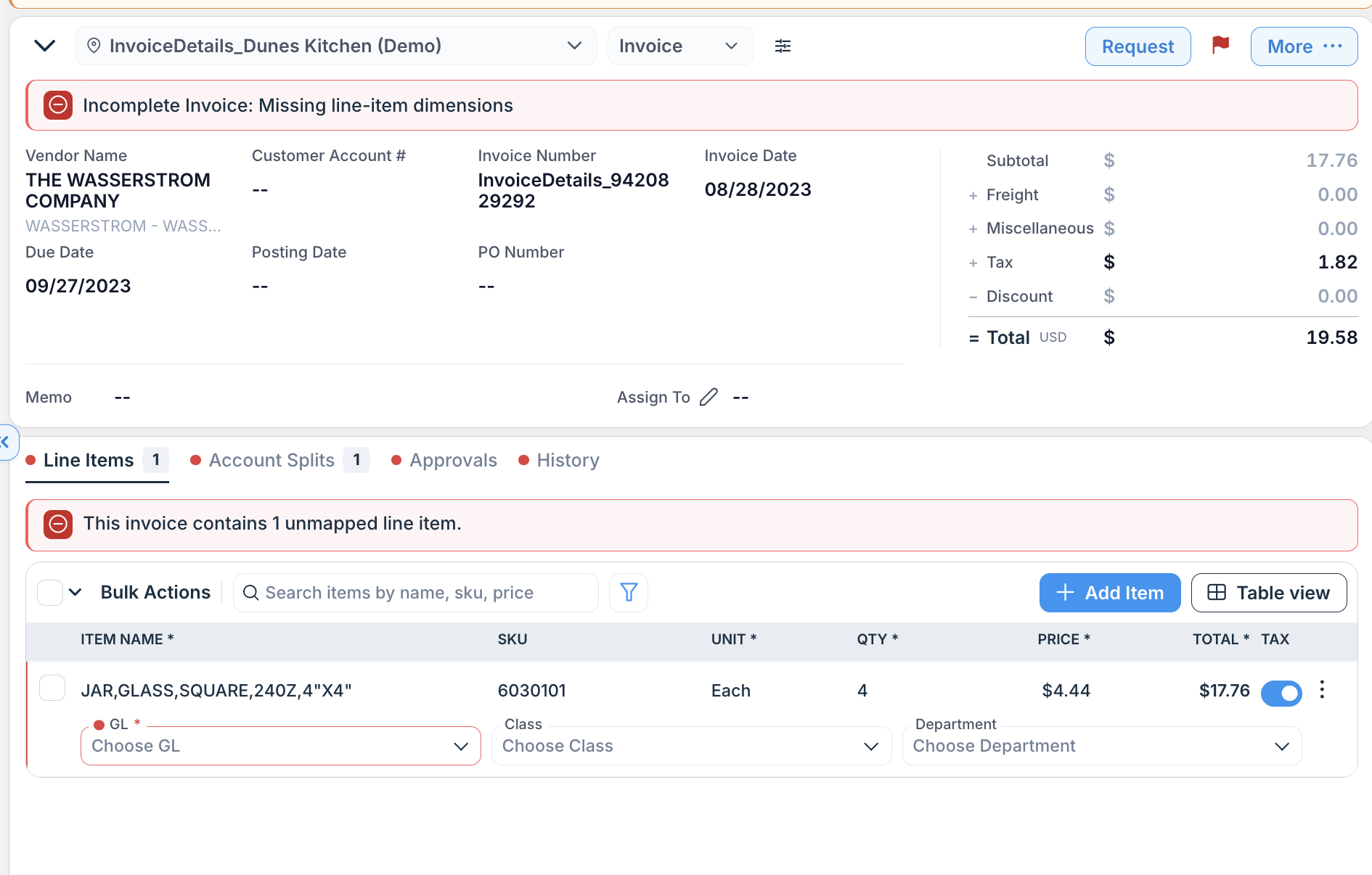
Unmapped items (Missing line-item dimensions) will be denoted at the top of the page.
Was this article helpful?
That’s Great!
Thank you for your feedback
Sorry! We couldn't be helpful
Thank you for your feedback
Feedback sent
We appreciate your effort and will try to fix the article