Overview
GL Coding Review helps you catch unusual coding patterns before invoices are finalized.
It highlights items that look different from how you’ve coded similar invoices in the past.
Availability
The feature is available to users who:
Are using the new beta user interface
Have ‘Trust Score’ feature enabled on their account
Available to selected accounts on Enhanced Dimensions
Currently available as Early Access
How It Works
The system compares GL codes on invoice line items with past invoices from the same vendor and location
If a GL code has not been used before, it is flagged for review
This is a pattern-based check, not a strict validation.
What You’ll See in Beta
A “Review” badge on invoices with unusual coding
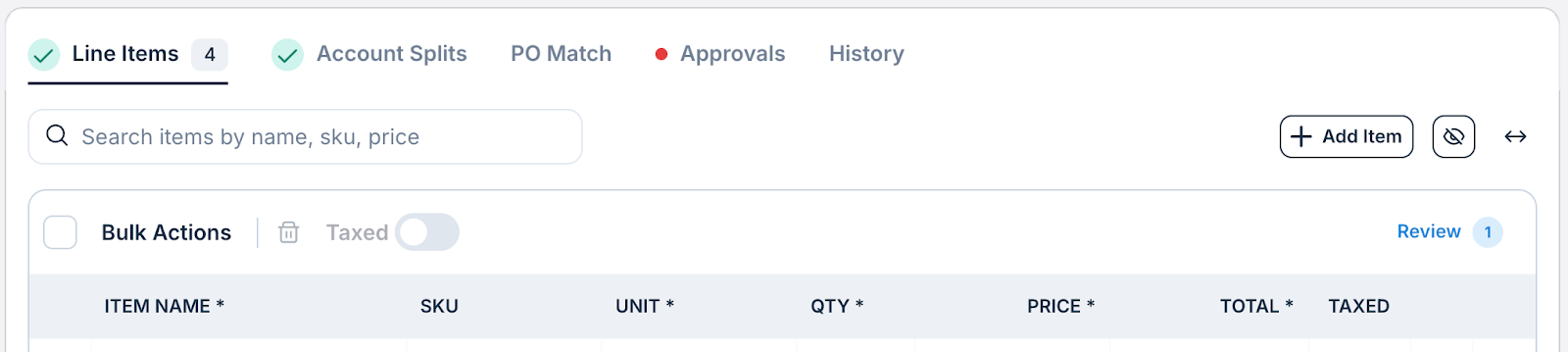
A Coding Review panel showing:
Flagged items
Explanation
Option to:
Review
Update GL via line item
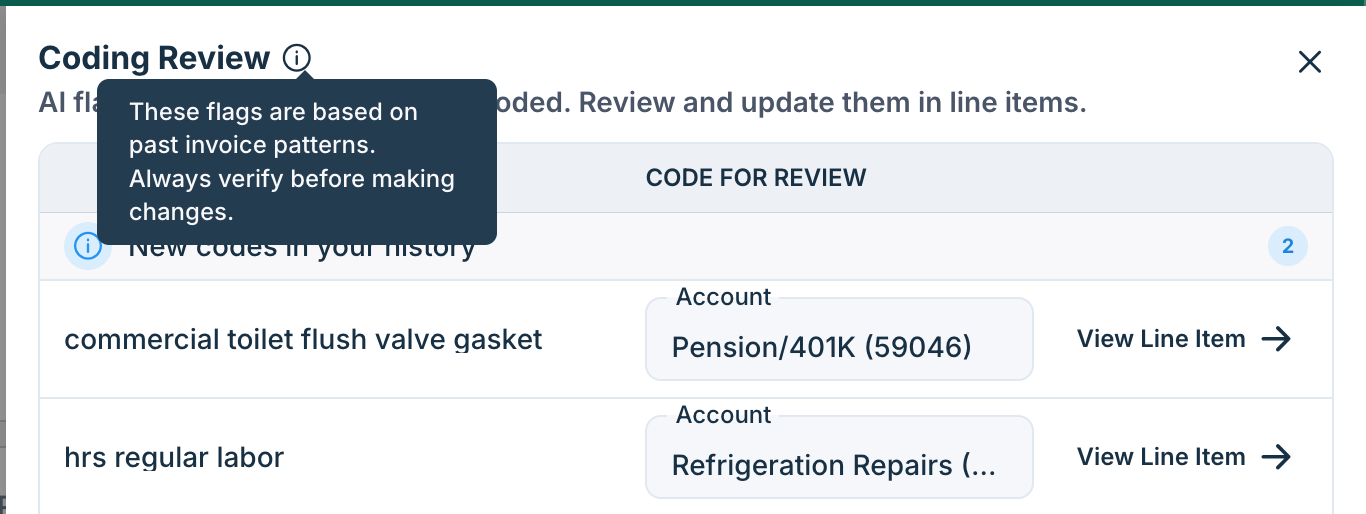
*Note: When you update a GL code, the experience remains the same as today. Any existing mapping rules or automapper behavior will continue to apply as usual.
FAQs
Q. Will this automatically fix my coding?
No. This feature highlights items for review. You can update the GL as needed using the existing line item editing flow.
Q. Why is this item flagged?
The GL code hasn’t been used before for this vendor/location.
Q. Why am I seeing this for some invoices but not others?
This appears only when there is enough historical data to compare against. If no history exists, the check is skipped.
Q. Will this show up every time for the same item?
If the GL code continues to appear as new compared to past history, it may be flagged again. Improvements to manage this are planned in future updates.
Additional Information
For further assistance, contact Ottimate Support by emailing Support@ottimate.com or clicking here.
Was this article helpful?
That’s Great!
Thank you for your feedback
Sorry! We couldn't be helpful
Thank you for your feedback
Feedback sent
We appreciate your effort and will try to fix the article