After your line items have been coded, your invoice can be approved and exported. Invoices that have been GL coded will automatically move out of Needs Attention and into Pending Export or move to the Pending Approval tab.
Check your GL coding on the Invoice Account Splits summary page to ensure that the GL subtotals are correct before exporting.
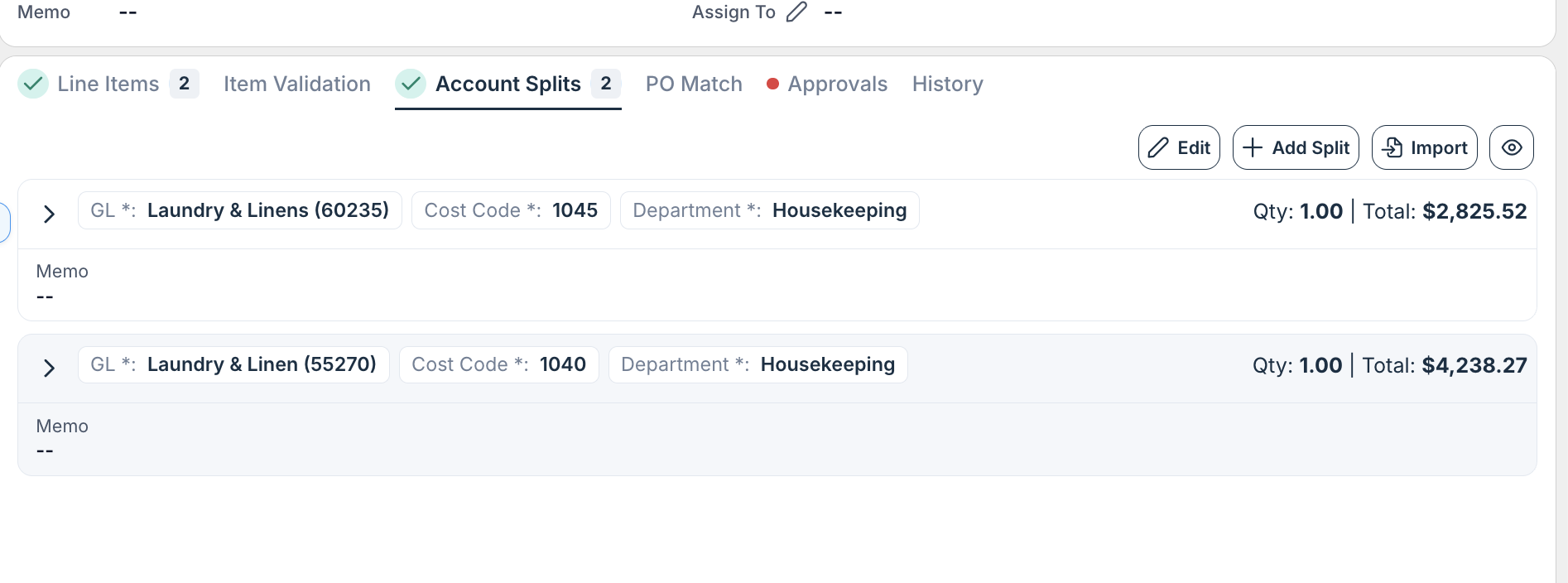
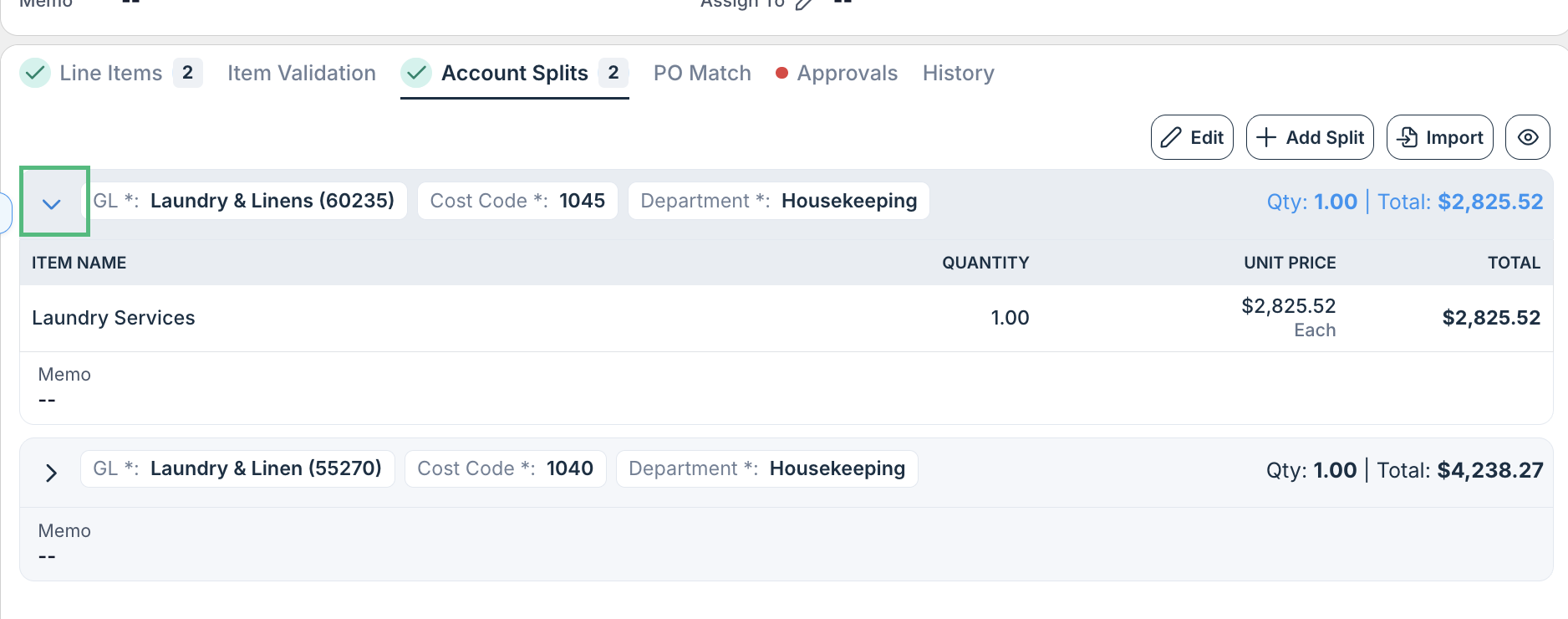
By clicking the drop-down arrow in the left corner, you can also audit the items that are coded to each.
Was this article helpful?
That’s Great!
Thank you for your feedback
Sorry! We couldn't be helpful
Thank you for your feedback
Feedback sent
We appreciate your effort and will try to fix the article