Overview
You can now search and filter your invoice approval policies by user email, policy name, role, or policy scope (Account, Company, Group, or Location).
This helps you quickly discover who is involved in which policies - especially helpful when managing approvers, resolving access issues, or cleaning up outdated policies.
Availability
Available to all customers with Approval Policy Feature enabled
Users must have permission to view or edit invoice approval policies
Find it under Settings → Invoice Approval Policies / Payment Approval Policies
How It Works
Search Options:
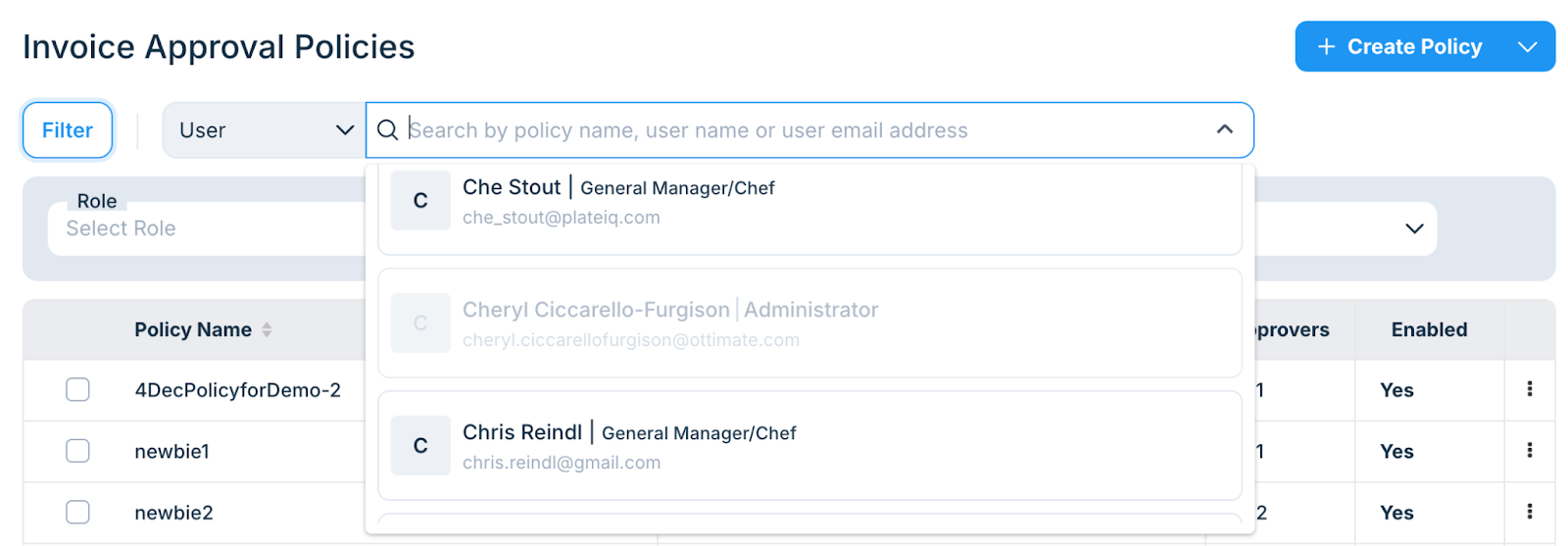
Search by Policy Name
Search by User Email
Results show policies where the user is an Approver, Fallback, or Stand-In
Role tags (e.g. Fallback Approver) are displayed for clarity
Filter Options:
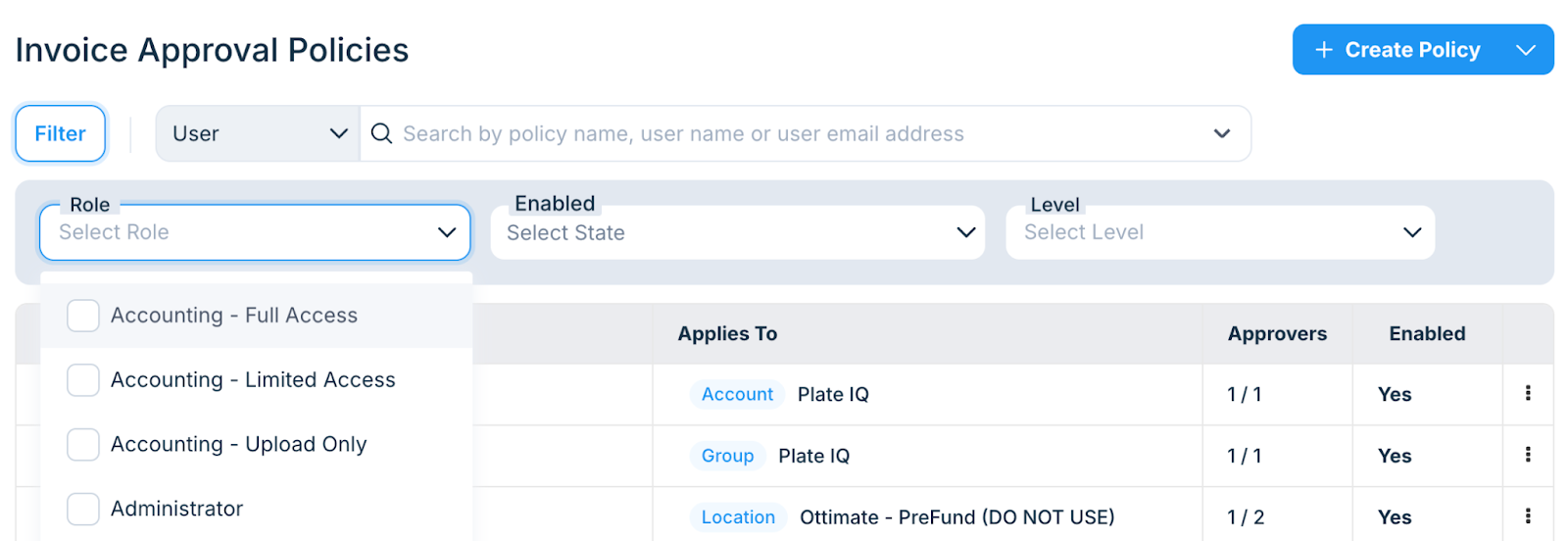
You can filter policies by:
Applies To: Account, Company, Group, or Location
Role: Only show policies containing a specific role
Status: Enabled / Disabled policies
Other Notes:
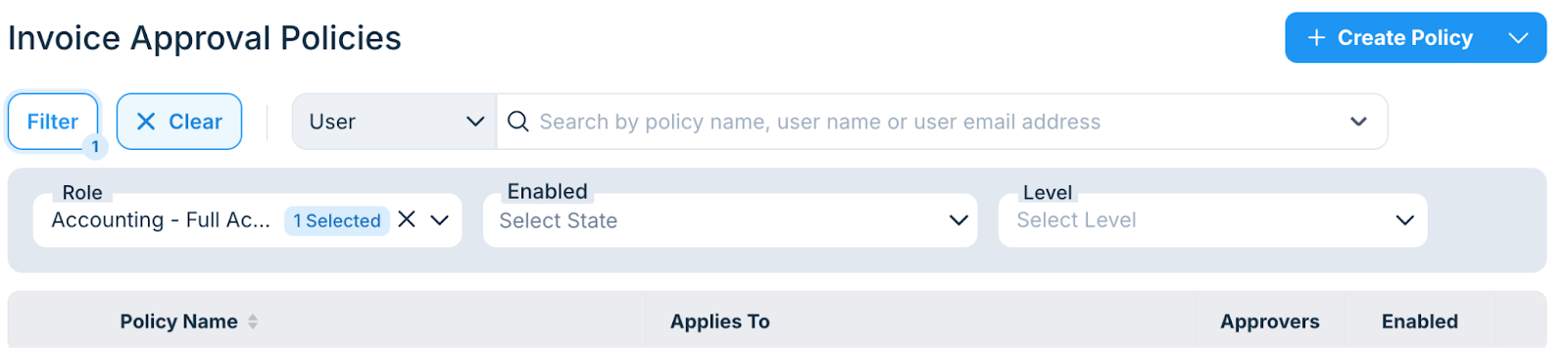
Filters work in combination (e.g. filter by Company + Role)
You’ll see a badge showing how many filters are applied
You can reset filters anytime using “Clear All”
FAQs
Q: Can I search for inactive users?
Yes. if the user is still linked to a policy, they will appear in search results (tagged as Inactive if applicable).

Q: Does it support searching for a user who is a Stand-In or fallback approvers specifically?
Yes. If a user is added as a fallback or stand-in, that will be tagged in the results automatically.
Q: Do filters respect the location I selected in the top-left dropdown?
Yes. Filters are scoped based on your current group/location view.
Q: Can I use this for Payments Approval Policies too?
Yes. The same search and filter experience has been extended to Payments Approval Policies too.
Additional Information
For further assistance, contact Ottimate Support by emailing Support@ottimate.com or clicking here.
Was this article helpful?
That’s Great!
Thank you for your feedback
Sorry! We couldn't be helpful
Thank you for your feedback
Feedback sent
We appreciate your effort and will try to fix the article