Overview
Task Manager provides visibility into long-running background tasks in Ottimate, starting with Invoice Export and Payment Export. Earlier, customers had limited visibility into invoice and payment exports - they saw a spinner and had no clear indication of progress, success, or failure. Task Manager solves this by showing export status, results, and errors in one place, allowing users to continue working while exports run in the background.
Task Manager now supports both invoice exports and payment exports, and currently in Beta, with additional async workflows planned in future releases.
Availability
Release phase: Early Access (February 2026 release)
Current scope: Invoice and Payment Exports
Enablement options: can enable for all locations or enable for selected locations only
Early access: Limited to selected customers who have previously faced export issues (timeouts, batch size failures)
If you would like Early Access enabled for your account, please reach out to your Customer Success Manager or Support team.
Important Notes:
*Payment Export support is available only for accounts using VendorPay.
*Users will only see tasks they have permission to access. Some users may also have access to view all account-level tasks depending on their assigned role permissions.
*Task Manager tracks Ottimate-side export processing and delivery. It does not monitor downstream ERP or FTP ingestion after export completion.
Illustration of Invoice Export:
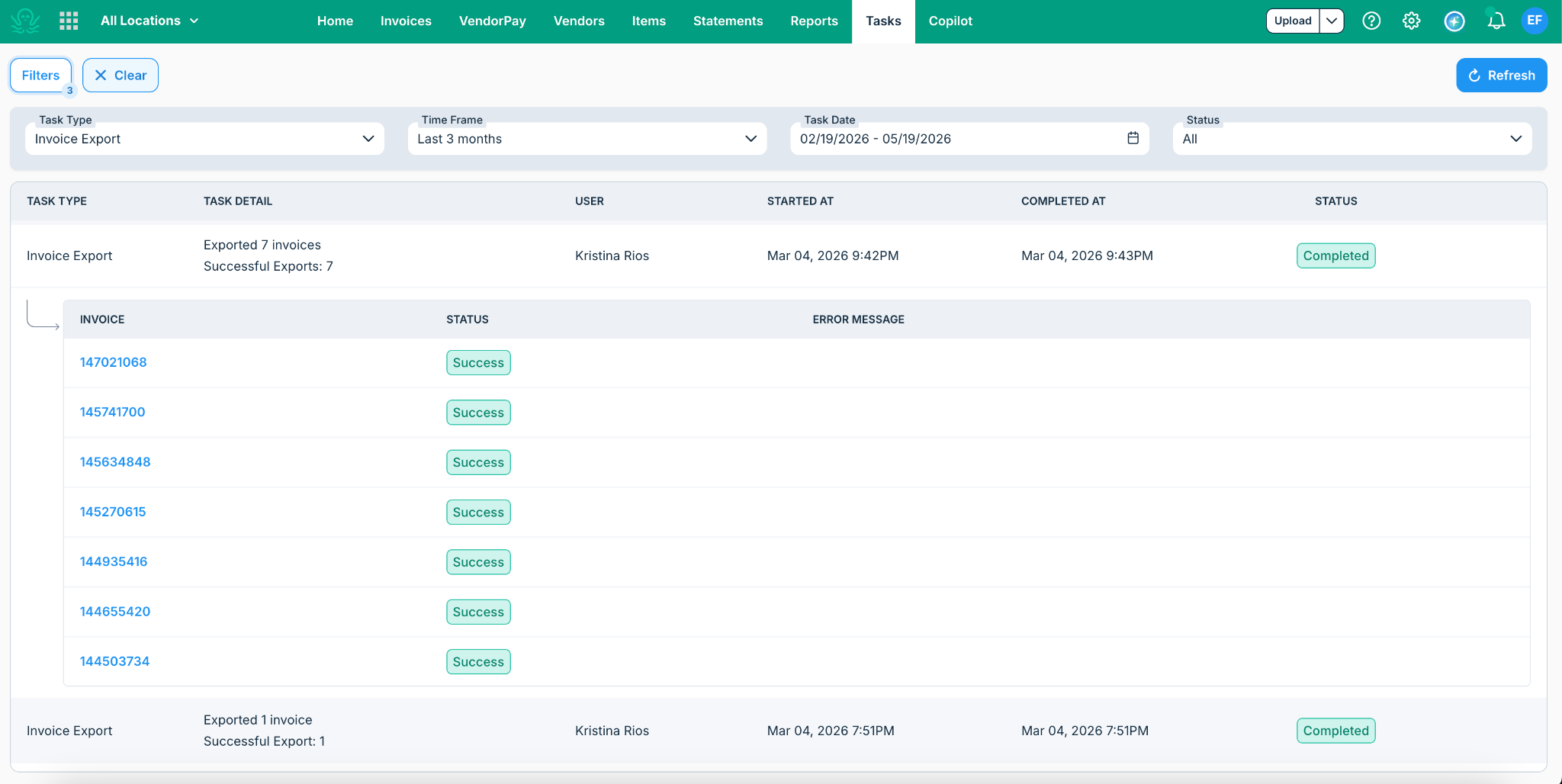
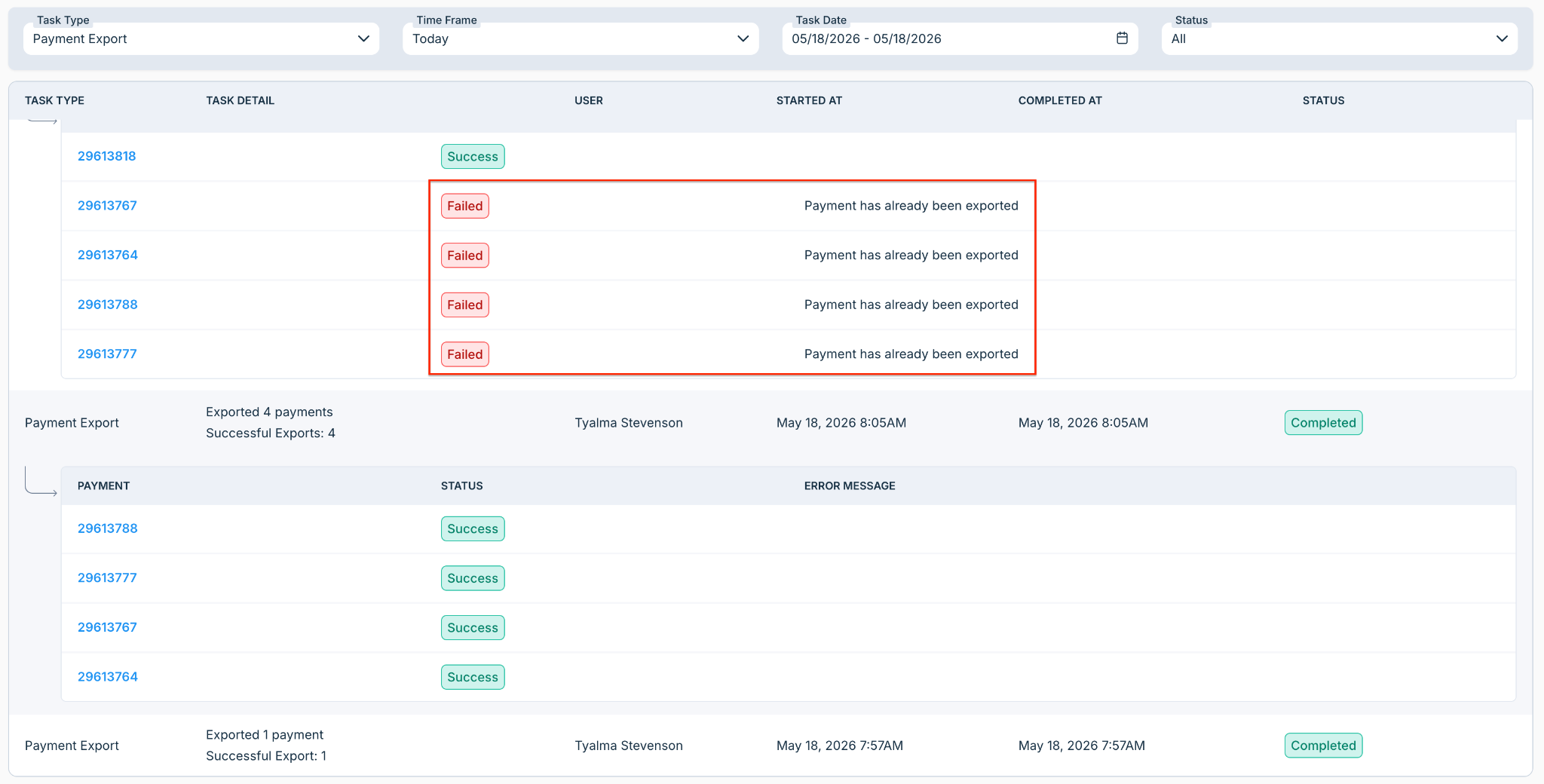
Illustration of Payment Export:
How It Works
A user triggers either an Invoice Export or Payment Export from Ottimate.
Instead of blocking the UI with a spinner, the export runs as a background task.
The task appears in the Task Manager with a clear status:
Queued
Running
Completed
Completed with Errors
Failed
Users can view:
invoices exported w/ successes or failures
payment batches/check runs exported
Failures or errors (if any)
*For Payment Export, Task Manager tracks exported payment check runs and related export status.
*Important behavior notes:
Tasks update automatically while running.
Older tasks load on demand.
Payment Export tasks are available only for VendorPay-enabled accounts.
Some exports may continue processing in the background even after the user leaves the page.
FAQs
Q: What workflows are supported right now?
Invoice Export and Payment Export are now supported in the current release. Other workflows will be added later.
Q: Who should be included for the early access?
Customers who:
Have experienced export timeouts or failures
Run large invoice exports
Export frequently
Clients with API integrations that are not receiving a downloaded file on export
*Support and CSM teams will help identify and approve early access candidates.
Q: Will this reduce the need to create support tickets?
That is the goal. Task Manager allows customers to self-serve export status and error details, reducing the need to contact Support for basic export visibility.
Q: What’s coming next?
Future releases are expected to include:
Payment Export
PO Sync
Catalog Sync
Accounting Sync
Secondary Invoice Export
Q: What is shown for Payment Export tasks?
Task Manager shows the exported payment check runs, export status, timestamps, and any related export errors.
Q: Can I track payment imports/disbursement uploads in Task Manager?
No. Payment import/disbursement upload tracking continues to remain within the VendorPay module. (This is important because this confusion already came up internally.)
Additional Information
For further assistance, contact Ottimate Support by emailing Support@ottimate.com or clicking here.
Was this article helpful?
That’s Great!
Thank you for your feedback
Sorry! We couldn't be helpful
Thank you for your feedback
Feedback sent
We appreciate your effort and will try to fix the article