Overview
The Supplier Invoice Tracker allows your suppliers to check the status of invoices they have sent to your company without needing an Ottimate account or login.
By entering the invoice number, invoice date, and invoice amount, suppliers can see whether an invoice has been received, is under review, or has a payment initiated. For customers using Ottimate VendorPay, suppliers may also be able to see payment status once payment has been initiated.
This feature is enabled by default for all Ottimate customers. However, admins can choose to opt out and prevent suppliers from tracking invoice and payment statuses. This can be configured at the company level.
What Suppliers Can See
When Supplier Invoice Tracker is enabled, suppliers can look up an invoice using:
Invoice number
Invoice date
Total invoice amount
If there is a matching invoice, suppliers can see the invoice’s current status, such as:
The Payment Initiated step is available when payment activity is managed through Ottimate. If your company does not use Ottimate VendorPay, payment status may not be shown to the supplier.
Default Setting
Supplier Invoice Tracker access is turned on by default.
This means suppliers can check invoice status for your company unless an admin disables tracker access.
Admins can disable access:
For all companies
For specific companies only
This is useful if you do not want suppliers to view invoice or payment statuses through the public tracker.
How to Manage Supplier Invoice Tracker Access
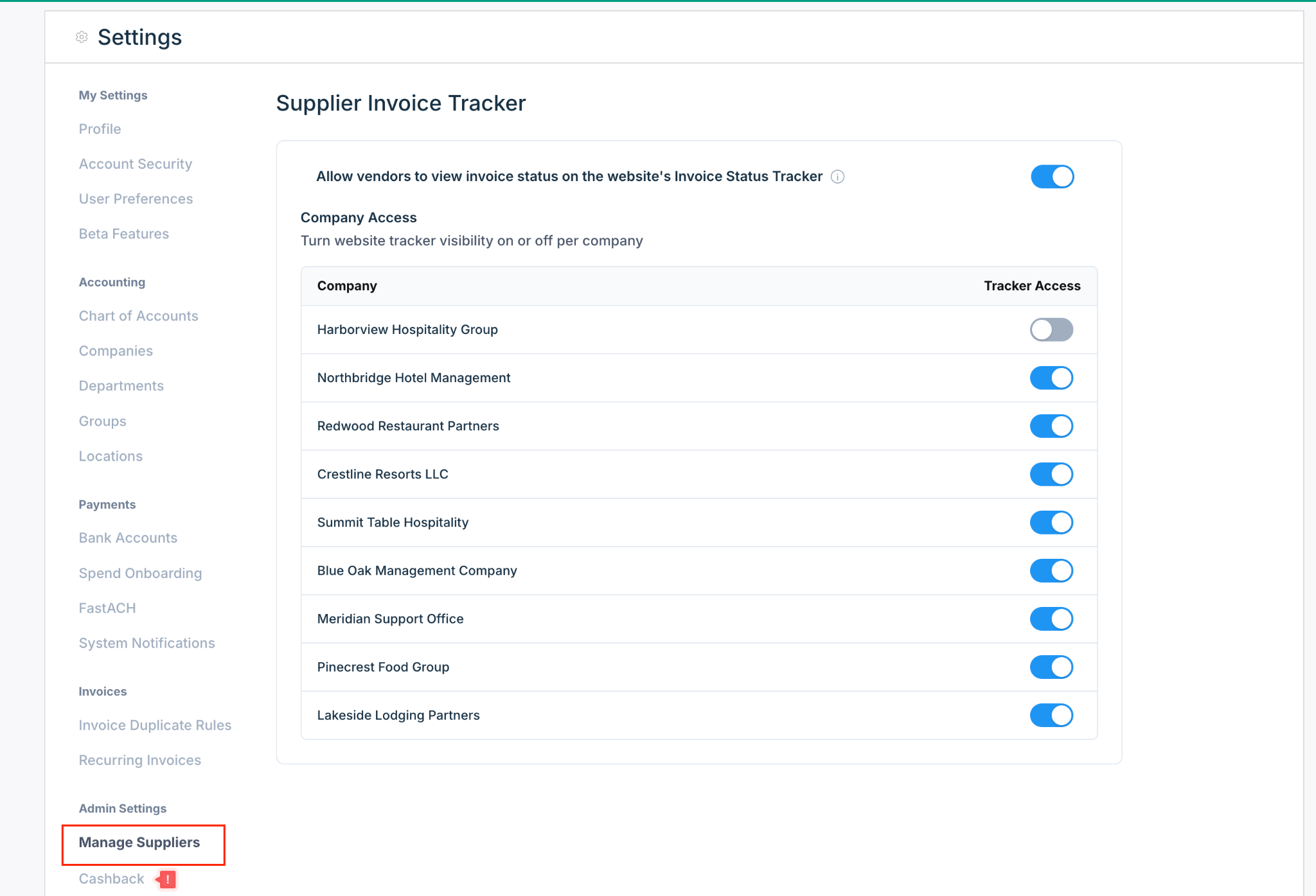
Go to Settings.
Under Admin Settings, select Manage Suppliers.
Find the Supplier Invoice Tracker section.
Use the main toggle to allow or prevent suppliers from viewing invoice status on the website’s Invoice Status Tracker.
Under Company Access, turn tracker access on or off for each company.
When tracker access is turned off for a company, suppliers will not be able to view invoice or payment status for invoices belonging to that company.
Company-Level Access
The Company Access table lets you control tracker visibility separately for each company.
For example, you may choose to:
Keep tracker access enabled for most companies
Disable tracker access for a specific company
Temporarily disable access while internal invoice or payment processes are being reviewed
Each company has its own tracker access toggle, so disabling one company does not affect the others.
What Suppliers See When Access Is Disabled
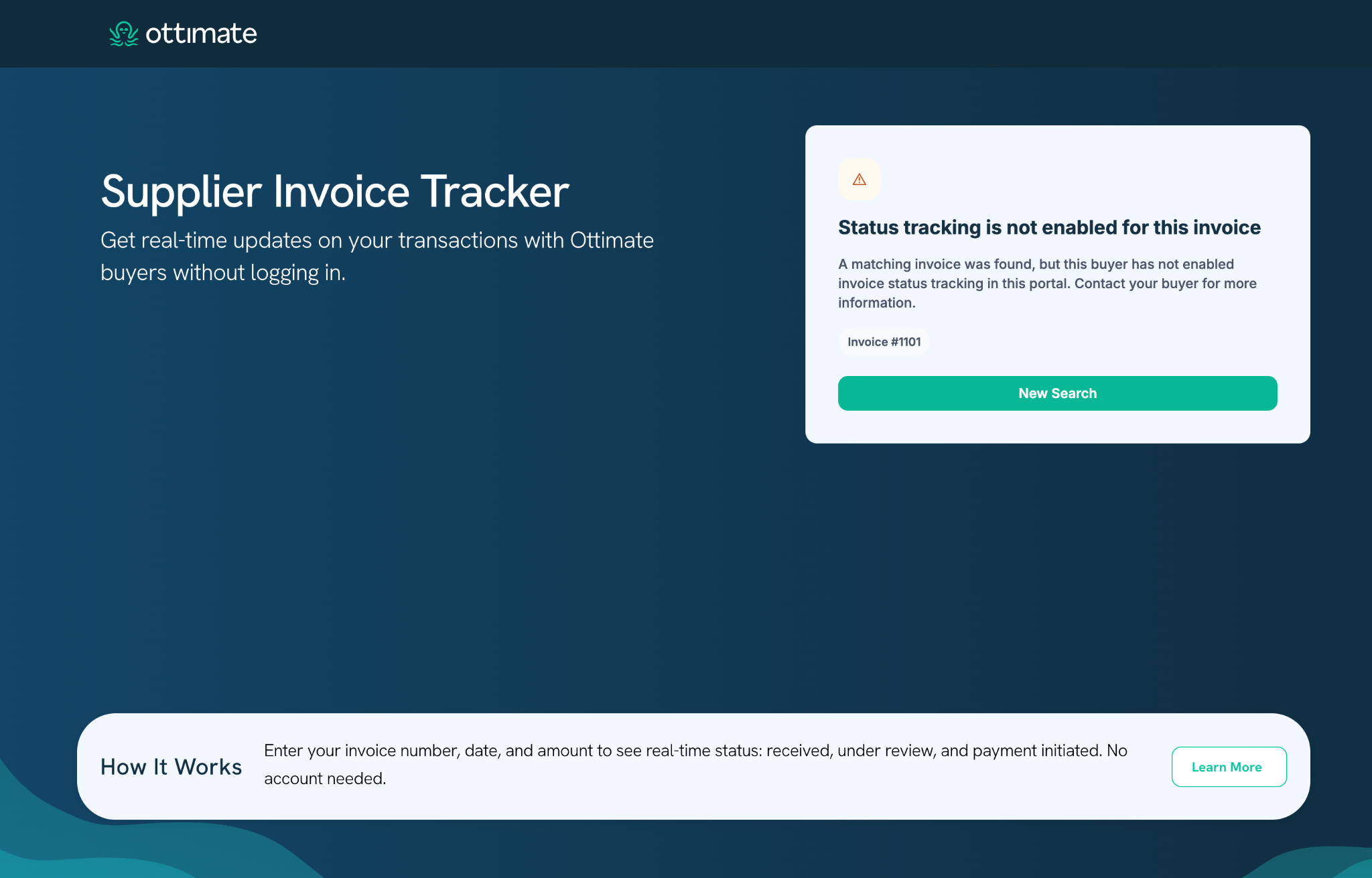
If a supplier enters invoice details for a company where tracker access is disabled, they may see a message like:
“Status tracking is not enabled for this invoice.”
This means a matching invoice was found, but your company has not enabled invoice status tracking for that invoice or company. The supplier will be directed to contact the buyer for more information.
Recommended Usage
For most customers, we recommend keeping Supplier Invoice Tracker enabled. It helps reduce supplier follow-ups by giving suppliers a self-serve way to check whether their invoice has been received, reviewed, or paid.
Consider disabling tracker access only if:
Your company does not want suppliers to view invoice status externally
A specific company has a different supplier communication process
Your team wants to manually handle invoice and payment status questions
You are not ready to expose VendorPay payment status to suppliers
Notes
Suppliers do not need an Ottimate login to use the tracker.
Suppliers must enter invoice details exactly to find a match.
If payment is processed through Ottimate VendorPay, suppliers may see payment progress once initiated.
If tracker access is disabled, suppliers will be told that status tracking is not enabled and should contact the buyer directly.
Was this article helpful?
That’s Great!
Thank you for your feedback
Sorry! We couldn't be helpful
Thank you for your feedback
Feedback sent
We appreciate your effort and will try to fix the article