Your notifications are yours.
Email notification preferences in Ottimate are per-user. Each person manages their own under Settings > User Preferences — administrators cannot change another user’s notification settings. If a teammate is getting too much or too little email, the fix is for them to adjust their own preferences, not for an admin to do it for them.
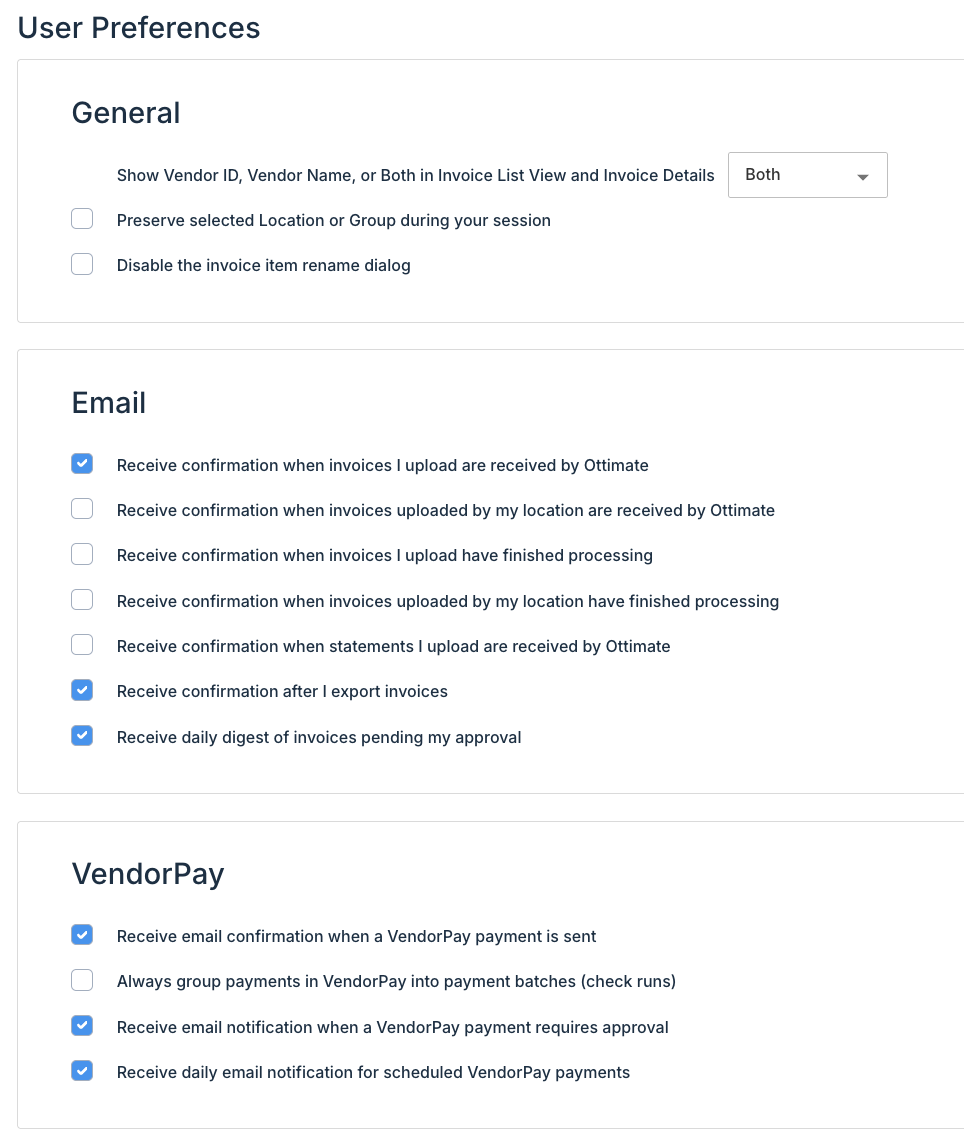
Examples of per-user preferences
Receive email notification when a VendorPay payment requires approval.
Receive daily email notification for scheduled VendorPay payments.
Upload and processing notifications (for example, when an invoice batch finishes).
What admins do control
A small set of account-level notifications are configured by administrators because they belong to the account, not a person — for example, who receives vCard refund notifications (Settings > System Notification) and the monthly cash back report, which goes to super admins. Transactional and security emails — bank verification, password and MFA changes — are always sent and cannot be turned off.
Was this article helpful?
That’s Great!
Thank you for your feedback
Sorry! We couldn't be helpful
Thank you for your feedback
Feedback sent
We appreciate your effort and will try to fix the article