Switching between interfaces
While the legacy user interface is still available, you can switch between the two interfaces until January 31, 2027.
To switch back to the legacy interface:
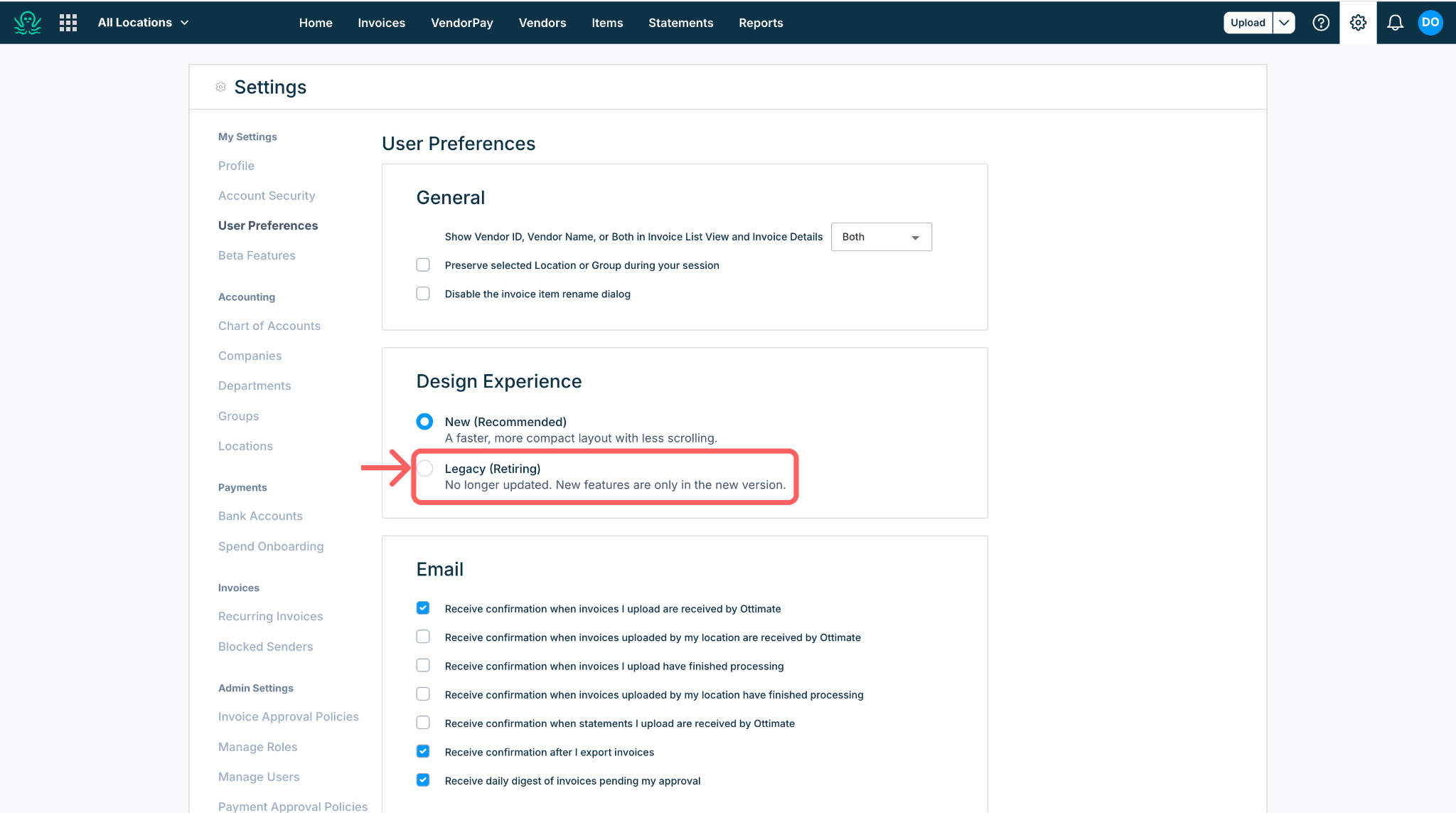
Go to Settings > User Preferences > Design experience.
Select Legacy and confirm. Keep in mind the legacy design no longer receives new features.
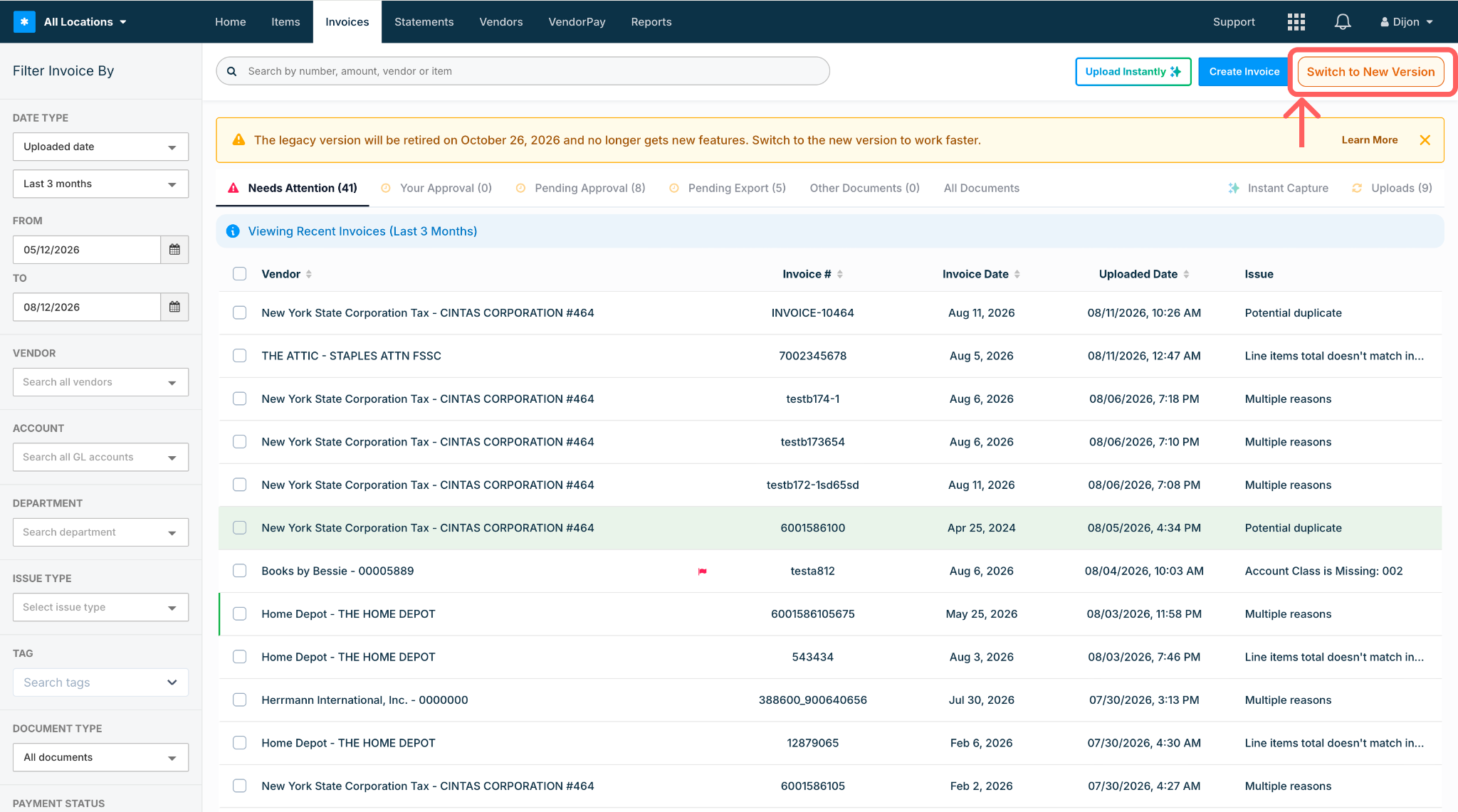
To return to the new design: click Switch to new version at the top right of the Invoice List or Invoice Details page, or change your selection in User Preferences.
Need help?
If anything looks off after the change, contact your Ottimate support contact or submit a ticket through the Helpdesk.
Was this article helpful?
That’s Great!
Thank you for your feedback
Sorry! We couldn't be helpful
Thank you for your feedback
Feedback sent
We appreciate your effort and will try to fix the article